Made for Writers
Fabric for writers
Research, drafts, notes, outlines, and references in one searchable workspace. AI that pulls the right source when you're deep in a draft.
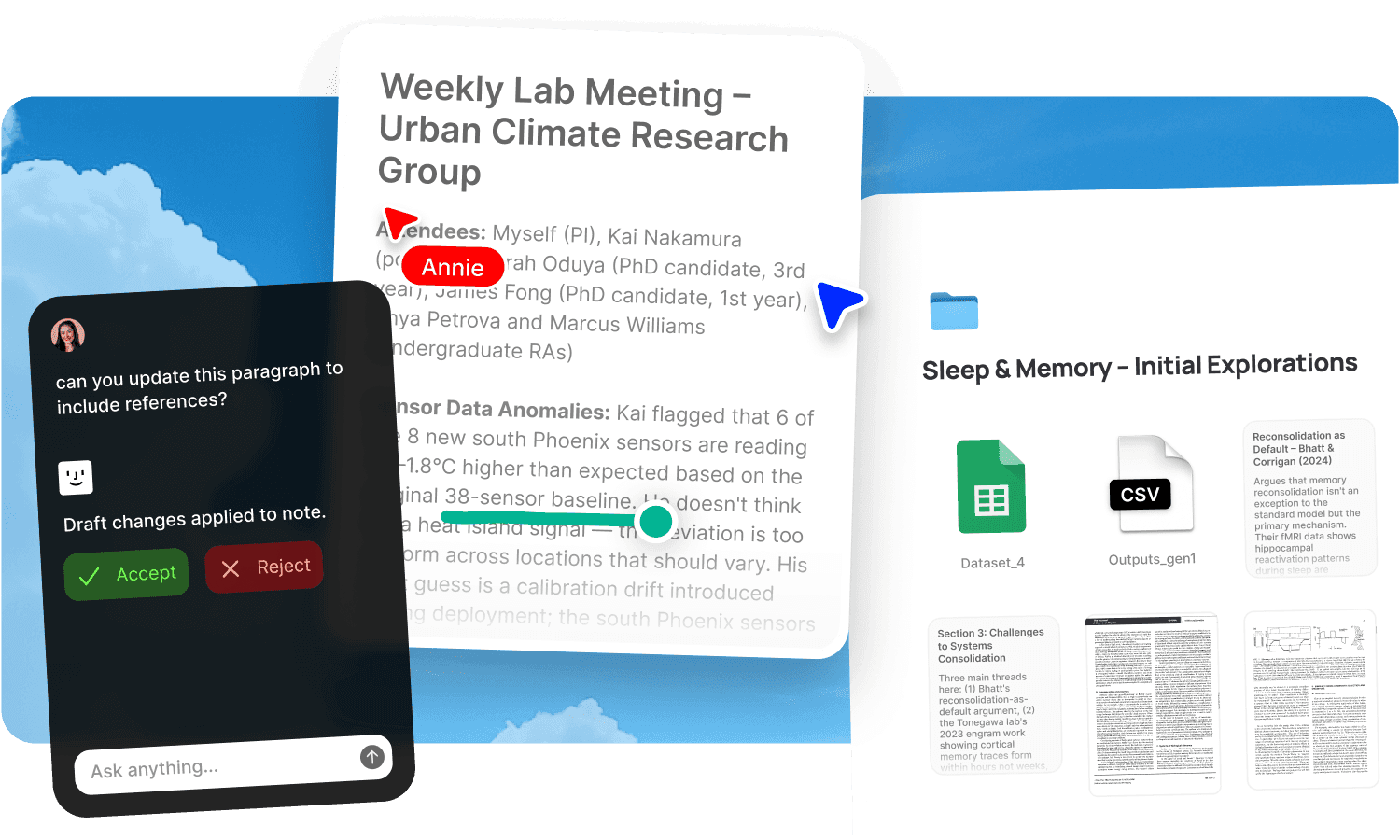
Writing is research that eventually becomes prose. Before the first sentence, there are weeks or months of reading, note-taking, interviewing, and collecting. Articles saved from the web. Books highlighted on a Kindle. Interviews recorded on a phone. Notes jotted in three different apps. Outlines sketched on paper. By the time you sit down to write, the material that should inform the draft is scattered across so many places that the gap between knowing you read something relevant and finding it is wider than the gap between a blank page and a finished piece. Writers don't struggle with writing. They struggle with retrieving the thing they need at the moment they need it.
Fabric gives writers one workspace where research, sources, notes, outlines, and drafts all live together, searchable by meaning, with an AI that pulls the right material when you're deep in the writing.
Research and writing in the same place
The fundamental problem is the split. You research in one set of tools and write in another. The article that sparked the idea is in a browser bookmark. The book highlights are in Kindle. The interview transcript is in a recording app. The notes are in a doc. The draft is in a word processor. When you're writing and need to check a source, verify a quote, or find the data point you remember reading, you leave the writing to go searching, and the search breaks the flow.
Fabric closes the gap. Your sources, highlights, notes, and drafts live in the same workspace. While you're writing in notes and docs, your research is one search away. AI search finds material by meaning across every file type. Ask "the study about sleep deprivation and creative output" and find the article, your highlights, and your notes on it without leaving the draft.
The AI assistant goes further. Ask it to pull together everything you've collected on a topic, find the source of a half-remembered idea, or help you develop a point by surfacing relevant material from your library. It works from your research, not from the internet, so the suggestions are grounded in what you've actually read and thought about.
Capture everything, organise nothing
Writers collect compulsively. An observation on a walk. A phrase overheard in a conversation. An article that connects to something you're working on. A quote from a book. The raw material for writing appears constantly, and the system for capturing it needs to be frictionless, or you'll lose more than you keep.
Save articles with the web clipper. Record observations and ideas as voice notes on your phone. Forward newsletters and interesting emails to email-to-note. Jot a thought with quick capture. Clip tweets and threads. Photograph a passage in a book. Every capture lands in the same library, searchable by meaning, without you filing it anywhere.
The organisation happens through search, not through folders. When you need the material, describe what you're looking for. The investment is in capturing, not in maintaining a system.
Read and annotate in the same library
Reading feeds writing, and the best writers are close readers. But the thinking you do while reading, the highlights, the marginal notes, the connections you draw, usually stays locked inside a reading app, disconnected from the writing workspace.
Fabric's reader gives you a clean reading experience for saved articles and web content. Annotate anything you read with highlights and comments, and those annotations become part of the searchable library. When you're writing and need the passage you highlighted three months ago, search for the concept and find the highlight alongside the source.
Subscribe to publications and blogs with RSS feeds. Your reading arrives in the same workspace as your writing. No separate read-it-later app. No separate highlights app. One library for consumption and creation.
Think spatially before you write linearly
Some writing starts with an outline. Some starts with a mess of fragments that need to find their shape. The canvas gives you an infinite surface to spread ideas, quotes, sources, and notes and arrange them until the structure emerges.
Map the arc of an article. Lay out the chapters of a book. Arrange interview quotes by theme. Spread research alongside the outline and see where the evidence supports the argument and where it doesn't. The spatial thinking happens on the canvas; the linear writing happens in notes and docs. Both draw from the same library.
The canvas is also useful for planning longer projects: series, books, ongoing columns. Map the topics, the sources, and the connections between pieces. The plan and the material stay linked.
Use cases for writers
The workflows writers run in Fabric: content planning from research through draft, research projects for long-form and investigative work, building a personal reading and learning library, maintaining a second brain of ideas and sources that compounds over years, brainstorming structure and concepts on the canvas, and journaling as a reflective writing practice.
For structured approaches to the craft, see the guides to book notes, evergreen notes, and the commonplace book.
A writer's day in Fabric
Morning. You're working on a long feature. Before opening the draft, you ask the AI assistant to pull together everything you've collected on the subject over the past month. It surfaces twelve articles, four interview transcripts, your own notes, and a highlighted passage from a book. The research is assembled in seconds.
Mid-morning. You write in notes and docs. Midway through a paragraph, you need the exact phrasing of a statistic you read last week. You search "sleep deprivation productivity study" and find the article and your highlight. You're back in the draft within thirty seconds.
Lunch. You read an article in the reader and annotate three passages that connect to something you're working on. The annotations are searchable. When the connection becomes relevant to the draft, you'll find them.
Afternoon. You're planning a new piece. You open the canvas and spread your notes, quotes, and sources spatially. The structure emerges: three sections, each with a central argument and supporting evidence from different sources. You start the outline.
Evening walk. An idea hits. You record a voice note on your phone. Thirty seconds. Tomorrow it'll be transcribed and searchable alongside everything else.
End of day. You publish a draft for an editor's review with a password-protected link. Link analytics will show you when they've read it.
Get started
Put your research, your reading, and your drafts in one workspace and stop losing the material that makes your writing better. Try Fabric free.
For content creators focused on planning and publishing, see Fabric for content creators. For managing writing as a freelance business, see Fabric for freelancers. Comparing tools? See why writers choose Fabric as the best Notion alternative and the best Evernote alternative.
FAQs
Can I search for a source by describing it while I'm writing?
Yes. AI search finds material by meaning. Describe what you're looking for in plain language and find the article, the quote, or the note without leaving your draft.
Can the AI pull together research on a topic I'm writing about?
Yes. The AI assistant synthesises from your saved material. Ask it to summarise what you've collected on a subject, find a specific source, or connect ideas across your library.
Can I write and draft in Fabric?
Yes. Notes and docs is a clean editor with markdown support. Write alongside your research, with your sources searchable in the same workspace.
Can I save articles and web pages for research?
Yes. The web clipper saves any page to Fabric with one click. The content is preserved and searchable by meaning.
Can I annotate articles and books as I read?
Yes. Annotate any article, PDF, or document with highlights and comments. Your annotations are searchable alongside the source content. Read saved articles in the reader for a distraction-free experience.
Can I capture ideas by voice?
Yes. Record a voice note on your phone and Fabric transcribes it. The idea is searchable as text alongside everything else in your library.
Can I plan a piece visually before writing it?
Yes. The canvas lets you spread ideas, quotes, sources, and notes spatially. Arrange them until the structure emerges, then write in notes and docs.
Can I subscribe to publications I read regularly?
Yes. RSS feeds bring content from blogs and publications into your workspace. Forward newsletters to email-to-note. Your reading arrives alongside your writing.
Can I share a draft with an editor?
Yes. Publish a draft with a password-protected link. Link analytics show you when the editor has read it.
Does the library get more useful over time?
Yes. Every article, note, quote, and idea you save adds to what search and the AI can draw on. A question asked after a year of consistent capture produces a richer answer than the same question after a week. See second brain.
Can I use Fabric for book-length projects?
Yes. The combination of per-project spaces, searchable research, spatial planning on the canvas, and a distraction-free editor supports projects at any scale. The research library for a book is as searchable as the notes for a blog post.
Can I import existing research from other tools?
Yes. Fabric connects to Google Drive, Dropbox, and Notion. Bring in existing research, notes, and documents.
Is my writing private?
Yes. Your content is encrypted and only visible to you unless you choose to share it. Fabric uses AES-256 encryption and is CASA Tier 2 compliant.