Made for Lawyers
Fabric for lawyers
Every contract, case file, and precedent searchable by content, not filename. Find the right clause across a thousand pages.
Legal work is reading, and then finding what you read. You review a contract and note a problematic clause. You read a judgment and mark the relevant ratio. You draft a memo and cite three precedents. You correspond with a client and capture their instructions. Six months later, you need the clause, the ratio, the precedent, or the instructions, and finding them means opening documents one at a time until you recognise the right one. The work is thorough. The retrieval is primitive. You're paid for your judgment, but a meaningful portion of your time is spent on document archaeology: finding things you know you have, in files you know you've read, across cases you know you've worked on.
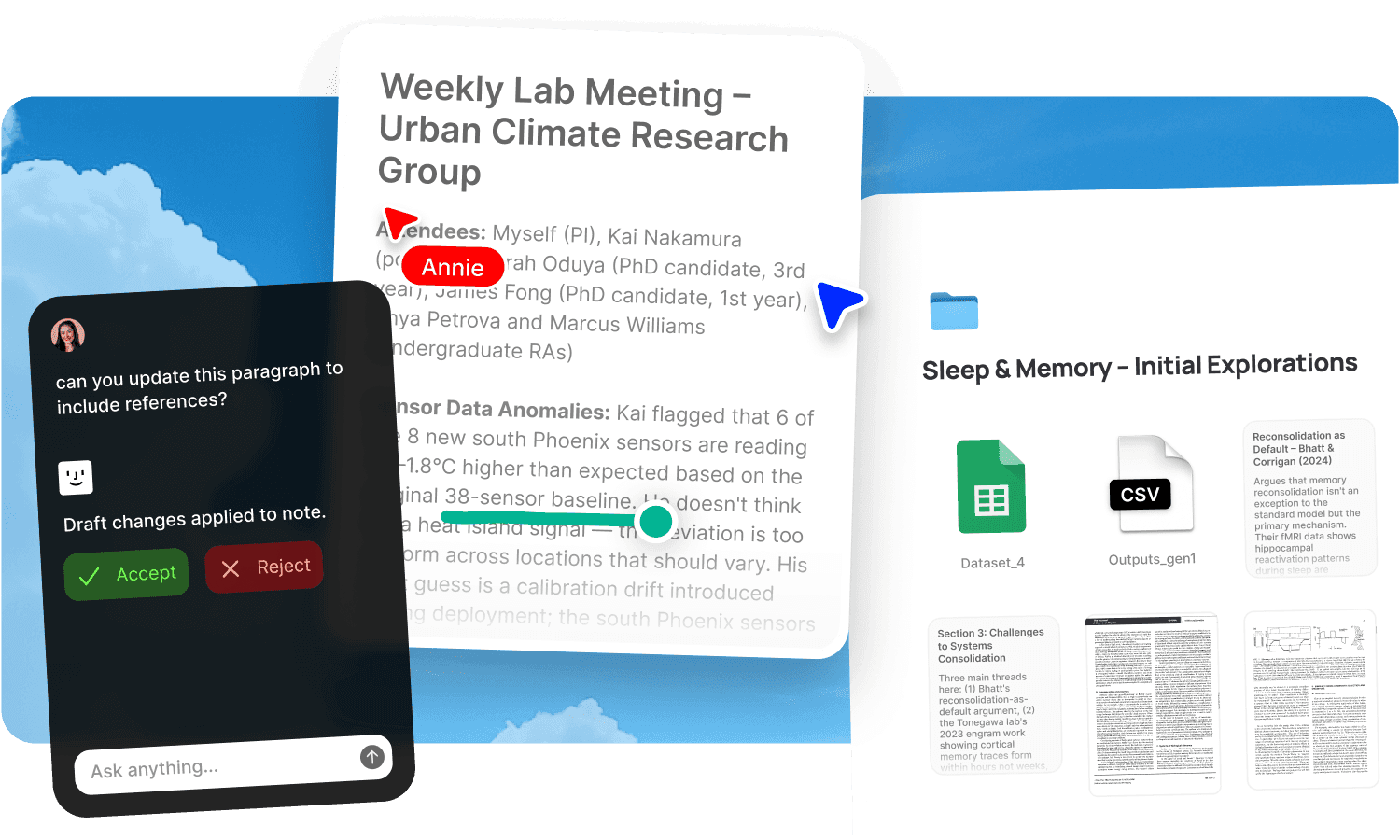
Fabric gives individual lawyers a searchable workspace where every contract, case file, precedent, memo, and piece of correspondence is findable by content, with an AI that reads across your entire library and finds the relevant provision in seconds.
Find clauses, precedents, and provisions by meaning
Legal search needs to work on substance, not filenames. You're looking for "the limitation of liability clause in the software licensing agreement with the healthtech client" or "any precedent on the duty of care in negligent misstatement," and the answer is buried in a document you last opened months ago.
AI search reads inside every contract, memo, judgment, brief, and piece of correspondence in your library and searches by meaning. Describe what you're looking for in plain language and find it, regardless of document title, file format, or when you last touched it. The search works across Word documents, PDFs, scanned files, and emails.
The AI assistant goes further. Ask it to compare liability provisions across five agreements, summarise the key terms of a contract, find every document that addresses a specific legal question, or pull together the relevant authorities on a point of law. It synthesises from your own documents and notes, not from generic legal databases.
Annotate contracts and documents as you review
Legal review is close reading with markup. You highlight a problematic clause, flag an ambiguity, note a question for the other side, mark a provision that needs to be cross-referenced with another agreement. This thinking is the most valuable part of the review, and in most workflows it's locked inside a PDF viewer or a marked-up printout that nobody can search.
Annotations in Fabric let you highlight, comment, and flag directly on any contract, memo, judgment, or PDF. The annotations are searchable. A note you made on a contract six months ago is findable by searching what you wrote, not by remembering which document it was on. Your marginal thinking becomes part of the retrievable record.
Read lengthy documents in the reader for a clean, focused experience. Your annotations and highlights stay attached to the document and join your searchable library.
A workspace per matter or per client
Every matter has its own set of documents: the retainer, the correspondence, the evidence, the research, the drafts, the filings. When these scatter across email, a document management system, and personal folders, switching between matters means reassembling the context each time.
Give each matter or client their own Fabric space. Contracts, correspondence, research memos, meeting notes, and work product all live together, searchable within the matter or across your entire library. When you need to find a precedent from a previous matter, search across all your spaces. When you need focus on the current file, search within it.
Forward client emails and instructions to email-to-note and they join the matter space. Record client calls with AI voice notes and the transcripts become searchable parts of the record. Track deadlines and outstanding tasks with tasks and reminders inside the matter space.
Share with clients securely
Legal documents require strict confidentiality. Sending contracts and advice by email attachment means losing control of the document the moment you hit send.
Publish any document or collection with password protection and link analytics. Share a draft agreement with the client and see when they've reviewed it. Send a set of due diligence documents with controlled access. Update a document and the link serves the current version without re-sending.
Fabric uses AES-256 encryption and is CASA Tier 2 compliant. Your documents are encrypted and private by default. For full due diligence sharing, see the data room workflow.
Use cases for lawyers
The workflows lawyers run in Fabric: conducting legal research with AI synthesis across sources, managing client work with per-matter spaces and tracked sharing, capturing meeting notes from client calls and conferences, sharing sensitive material via data rooms, building a personal reading library of legal commentary and journals, and maintaining a second brain of legal knowledge that compounds across a career.
A lawyer's day in Fabric
Morning. You're reviewing a share purchase agreement. You annotate a warranty clause that needs tightening, flag an indemnity provision to cross-reference against the disclosure letter, and note a question about the cap on liability. Each annotation is pinned to the exact clause and searchable later.
Mid-morning. A colleague asks whether you've dealt with a specific type of restrictive covenant before. You search your library for "non-compete duration enforceability" and find a memo you wrote two years ago, the contract that prompted it, and the case you relied on. Ten seconds, not an hour.
Lunch. A client calls about an ongoing matter. You record the call with voice notes. Their instructions are transcribed and searchable in the matter space alongside the correspondence and the documents.
Afternoon. You draft a memo in notes and docs, searching your library for relevant authorities as you write. The AI assistant pulls together provisions from three related agreements and the key passages from two judgments. The draft is grounded in your own research.
End of day. You publish a revised contract with a tracked link for the client. Tomorrow you'll see whether they've reviewed it. You forward an email from opposing counsel to email-to-note. It joins the matter record.
Get started
Make every contract, memo, and precedent in your library searchable by content and stop losing time to document archaeology. Try Fabric free.
For firm-wide legal knowledge management, see Fabric for law firms. For independent practitioners managing clients, see Fabric for consultants.
FAQs
Can I search inside contracts and legal documents by meaning?
Yes. AI search reads inside every document type, including Word files, PDFs, and scanned documents, and searches by meaning. Describe what you're looking for and find the clause, provision, or passage.
Can the AI compare provisions across multiple agreements?
Yes. The AI assistant can compare terms, identify differences, and summarise key provisions across agreements. It works from your actual documents.
Can I annotate contracts and have the annotations be searchable?
Yes. Annotations let you highlight, comment, and flag directly on any document or PDF. Your annotations are searchable by what they say, so a note made on a contract months ago is findable.
Can I create a separate space for each matter or client?
Yes. Each matter gets its own space with all related documents, correspondence, notes, and work product. Search within a matter or across your entire library.
Can I record and transcribe client calls?
Yes. AI voice notes capture and transcribe calls. The transcript is searchable in the matter space alongside documents and correspondence.
Can I share documents with clients securely?
Yes. Publish with password protection and link analytics. Share contracts, advice, and due diligence documents with controlled access. See when the client has reviewed them.
Can I forward client emails into a matter space?
Yes. Forward any email to email-to-note and it becomes a searchable part of the matter record.
Can I find a memo or precedent from a previous matter?
Yes. Search across all your matters by meaning. A memo you wrote two years ago is as findable as one from last week.
Can I track deadlines per matter?
Yes. Tasks and reminders live in the matter space alongside the documents they relate to. Court dates, filing deadlines, and client follow-ups are all trackable.
Is my data encrypted and secure?
Yes. Fabric uses AES-256 encryption, is CASA Tier 2 compliant, and does not use your data to train AI models. Privileged and confidential material is private by default.
Can I set up a data room for due diligence?
Yes. Share document collections with password-protected, tracked links. See the full data room workflow.
How is this different from a legal document management system?
A traditional DMS organises by metadata and folder hierarchy. Fabric reads inside every document and searches by meaning, so you find a clause by describing what it says rather than knowing its document number. The AI assistant adds synthesis: comparing provisions, summarising agreements, and answering questions across your library.
Can I use Fabric alongside my existing legal tools?
Yes. Fabric connects to Google Drive, Dropbox, and Gmail. It works alongside your DMS, practice management system, and email. Fabric adds a searchable, AI-powered knowledge layer on top of your existing infrastructure.