Data connections and apps

Raycast
Your Fabric second brain is always at your fingertips with the Fabric Raycast extension.
Search, save, and create, faster.
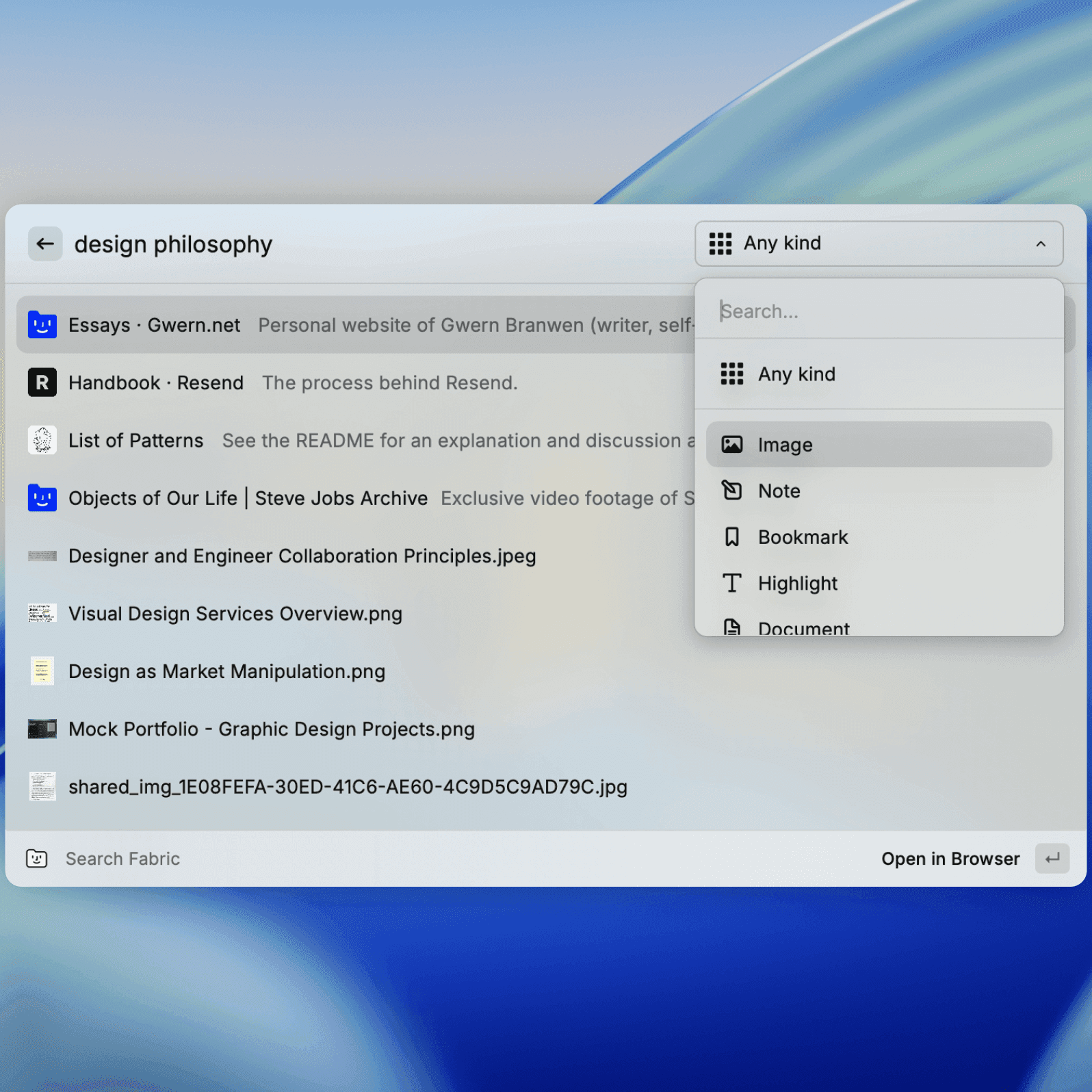
This extension brings Fabric's capabilities directly into Raycast, allowing you to search your knowledge base and create new content without switching contexts.
Search Fabric:
Instantly find anything in your Fabric workspace using AI-powered natural language search. Just describe what you are looking for from the comfort of your Raycast app.
Fabric will search all your connected apps, clouds and anything you've saved or created in your Fabric. Find things in the way that your brain actually works.
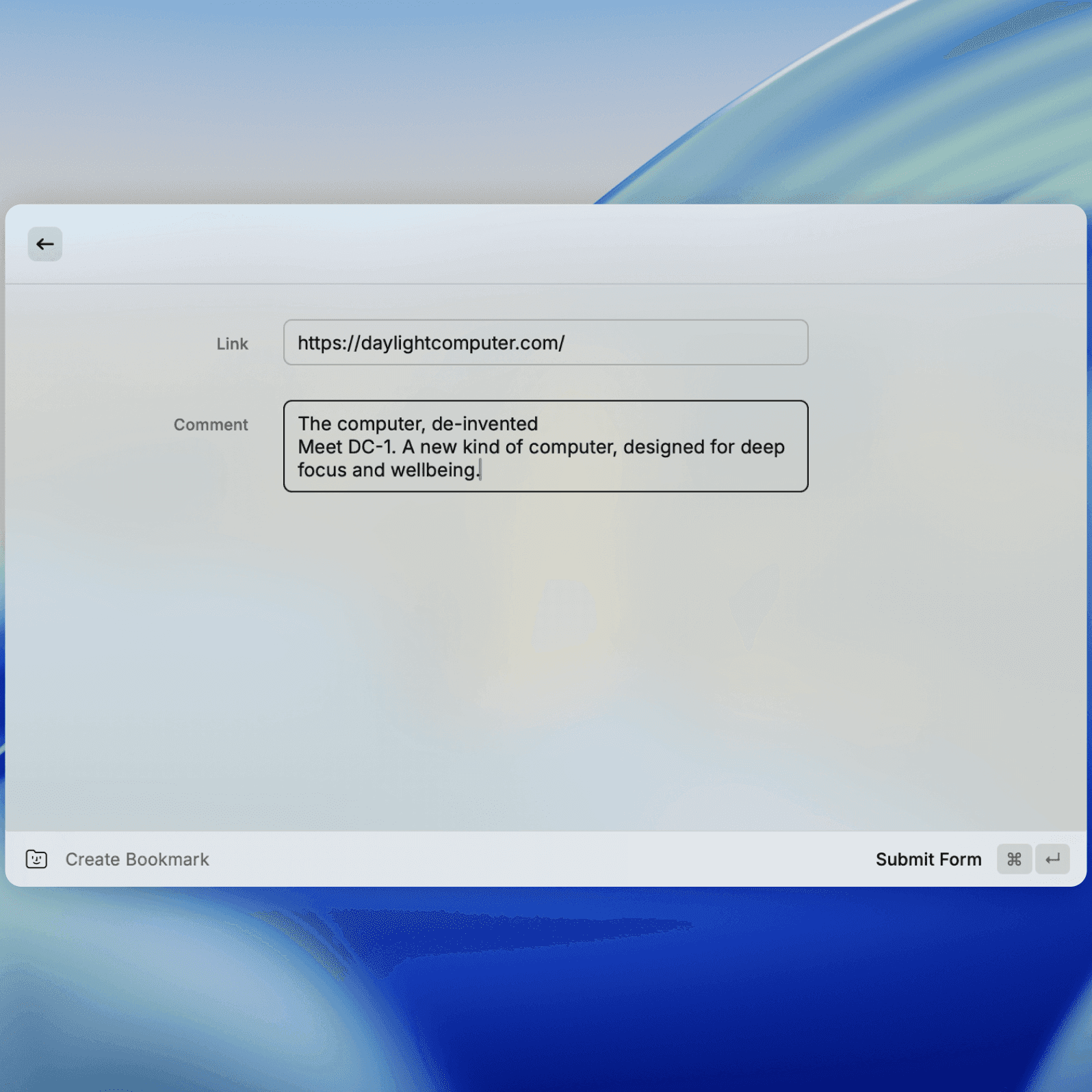
A lightning fast way to save an idea or a piece of content, with familiarity of Raycast.
• Create Notes: Quickly capture ideas and information.
• Create Bookmarks: Save important links and web pages with visual previews.
You can also manually add tags and choose the save destination.
As always, Fabric will automatically analyse, label and organize the new content into your intelligent workspace.
Learn more here: https://www.raycast.com/fbrc/fabric
Get started in 3 steps
1
Get the Fabric extension.
Install the Fabric extension from the Raycast store.
2
Sign into your Fabric account.
You'll be asked to sign into your Fabric account to grant Raycast the ability to read and write to your Fabric account.
3
Effortless and fast saving and retrieval of your content.
Start searching and creating content into your Fabric library, directly from Raycast.










Fabric is your everything app

Universal
A workspace and explorer for any file, content or data. And if it's in another app, you can connect it. Capture, store, create anything.
Together
Create and feel together with rich collaboration on any file, note, link or folder. Get live cursors, chat, comments, drawing and more.

Intelligent
Fabric understands every file and connects the dots for you. A smart knowledge base that organises itself.
No manual effort required.


